Use multi-step sequences to send a first DM, then follow-ups after a delay if the lead hasn’t replied.
  1. Confirm your X account is linked.
    Connected account indicator in Inboxapp
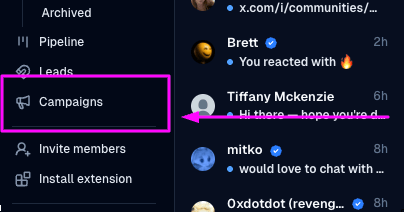
  2. Open CampaignsNew Campaign.
    Campaigns sidebar with New Campaign
  3. Choose the recipient lead list.
  4. Write the first message.
  5. Click Add Step, set a delay (for example 1 day), and write each follow-up.
  6. Add as many steps as you need.
  7. Review timing and copy, then Launch Campaign.

Launch Campaign confirmation
When someone replies, the sequence stops for that lead — What happens when a lead replies. Still stuck? Contact support from the app.