
- Open Campaigns and select a campaign.

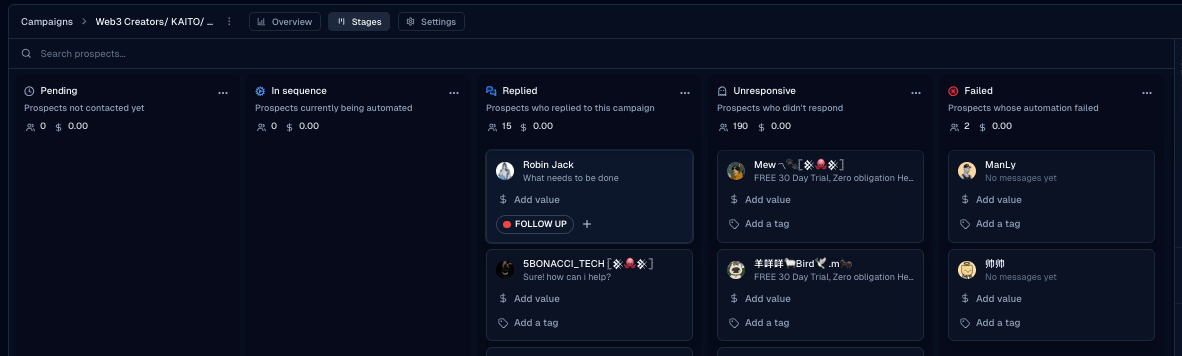
- Open the Stages tab (alongside Overview and Settings).

- Review counts and drill into a stage for individual leads.
Run and measure
Campaign stages
Pending, In-Sequence, Replied, Unresponsive, and Failed — how stages update automatically.
Campaign Stages show where each lead sits. Stages update automatically — you can’t drag leads between them.
Was this page helpful?