Available on Pro. See Plans.
Sending pace
Campaigns run on X. Inboxapp paces sends for each linked X account and adapts to X’s rules automatically. You don’t need to track limits or throttle campaigns yourself.- Follow-up steps keep going for leads already in a sequence.
- When an account reaches its pace for the day, new contacts wait until the next day — the campaign continues on its own.
Don’t message people twice
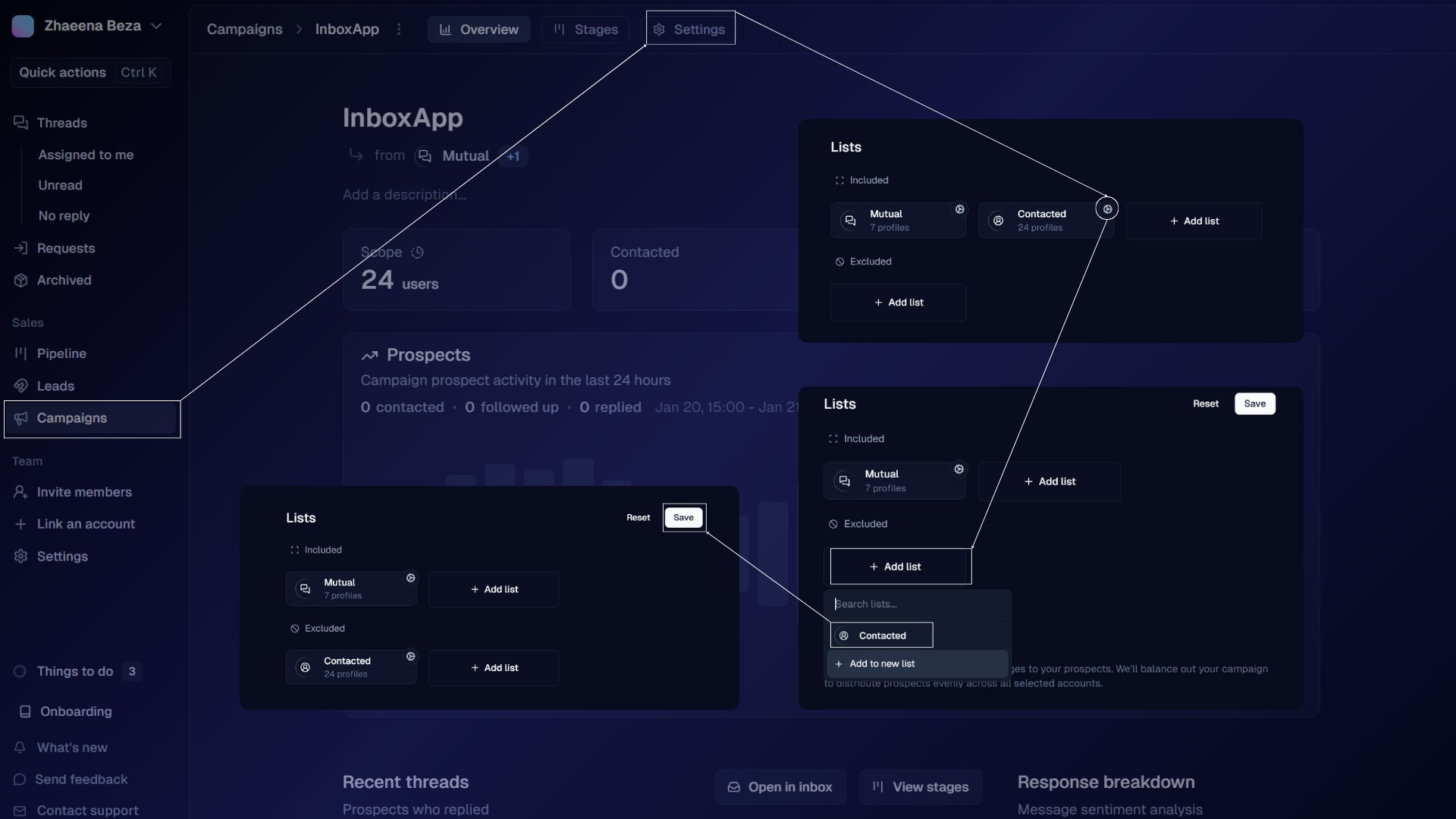
Exclude the Contacted system list so people you’ve already messaged are skipped.- Create or edit a campaign.
- Open Campaign Settings.
- Under Excluded Lists, select Contacted.
- Save.