> ## Documentation Index
> Fetch the complete documentation index at: https://docs.inboxapp.com/llms.txt
> Use this file to discover all available pages before exploring further.
# Create your first lead list
> Create a lead list, then add people from search, CSV, followers, or other import sources.
export const Youtube = ({id, title = "YouTube video"}) => {
const [playing, setPlaying] = useState(false);
const poster = `https://i.ytimg.com/vi/${id}/hqdefault.jpg`;
if (playing) {
return
;
};
## 1. Create a list
1. Go to **Leads**.
2. Click **Create New List**.
3. Name the list (for example, “Investors”).
4. Click **Save**.
## 2. Choose an import source
From **Add Leads** you can import via:
* Inboxapp’s X prospecting database (search)
* CSV upload — [Import from CSV](/help/leads-management/importing/importing-leads-to-inboxapp-from-a-csv-file)
* Followers of an X account — [Import from followers](/help/leads-management/importing/importing-leads-to-inboxapp-from-followers-of-an-x-twitter-account)
* Following of an X account — [Import from following](/help/leads-management/importing/importing-leads-to-inboxapp-from-the-following-of-an-x-twitter-account)
* X lists — [Import from X lists](/help/leads-management/importing/importing-leads-from-twitter-lists-members-and-followers)
* Plain text of usernames or IDs
* Engagement on a post (likes, retweets, replies, quote tweets) — [Import from post engagement](/help/leads-management/importing/importing-leads-from-post-engagement)
Credits apply on **Pro** — see [Plans and credits](/help/billing/billing-plans-and-credits).
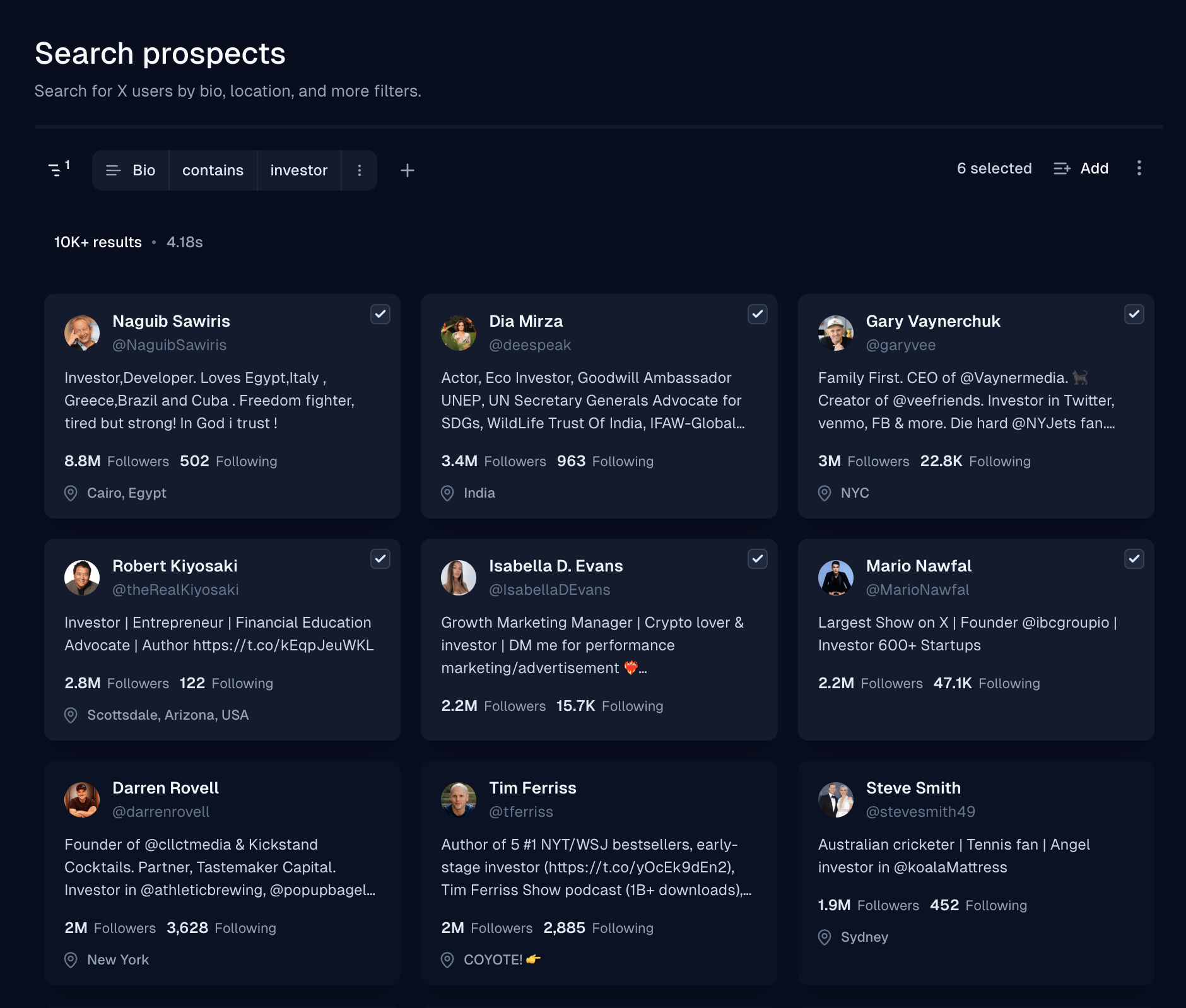
## 3. Example: add from database search
1. Choose **Search Leads**.
2. Filter by keyword — for example **Bio → Contains → investor**.
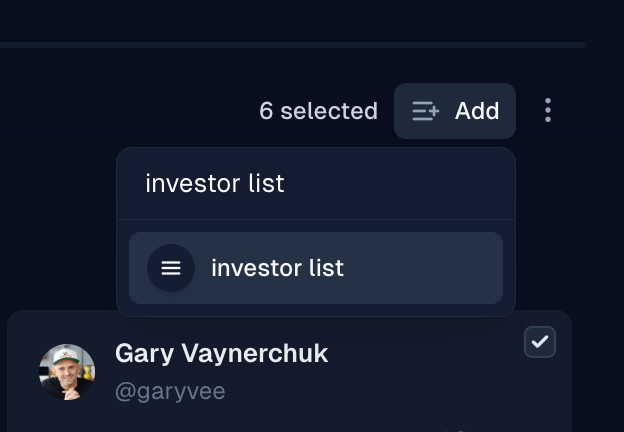
3. Select profiles (drag to select), then click **Add to List** and choose your list.
## Related
* [Import leads from a CSV](/help/leads-management/importing/importing-leads-to-inboxapp-from-a-csv-file)
* [Tags and custom fields](/help/leads-management/organize/tags-and-custom-fields)
* [Reachable vs unreachable leads](/help/leads-management/concepts/understanding-reachable-vs-unreachable-leads)
Still stuck? Contact support from the app.
 ## Related
* [Import leads from a CSV](/help/leads-management/importing/importing-leads-to-inboxapp-from-a-csv-file)
* [Tags and custom fields](/help/leads-management/organize/tags-and-custom-fields)
* [Reachable vs unreachable leads](/help/leads-management/concepts/understanding-reachable-vs-unreachable-leads)
Still stuck? Contact support from the app.
## Related
* [Import leads from a CSV](/help/leads-management/importing/importing-leads-to-inboxapp-from-a-csv-file)
* [Tags and custom fields](/help/leads-management/organize/tags-and-custom-fields)
* [Reachable vs unreachable leads](/help/leads-management/concepts/understanding-reachable-vs-unreachable-leads)
Still stuck? Contact support from the app.