> ## Documentation Index
> Fetch the complete documentation index at: https://docs.inboxapp.com/llms.txt
> Use this file to discover all available pages before exploring further.
# Campaign stages
> Pending, In-Sequence, Replied, Unresponsive, and Failed — how stages update automatically.
Campaign **Stages** show where each lead sits. Stages update automatically — you can’t drag leads between them.
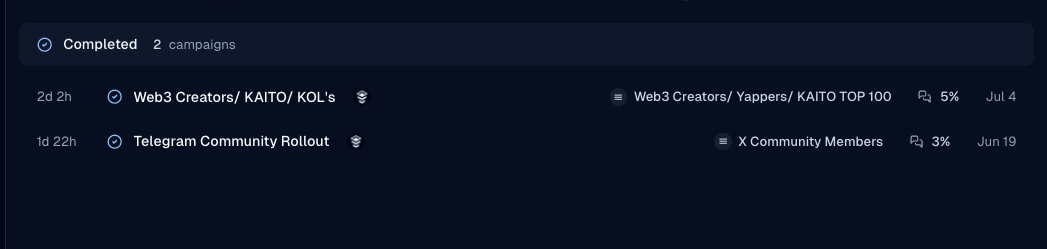
1. Open **Campaigns** and select a campaign.
 2. Open the **Stages** tab (alongside Overview and Settings).
 3. Review counts and drill into a stage for individual leads.
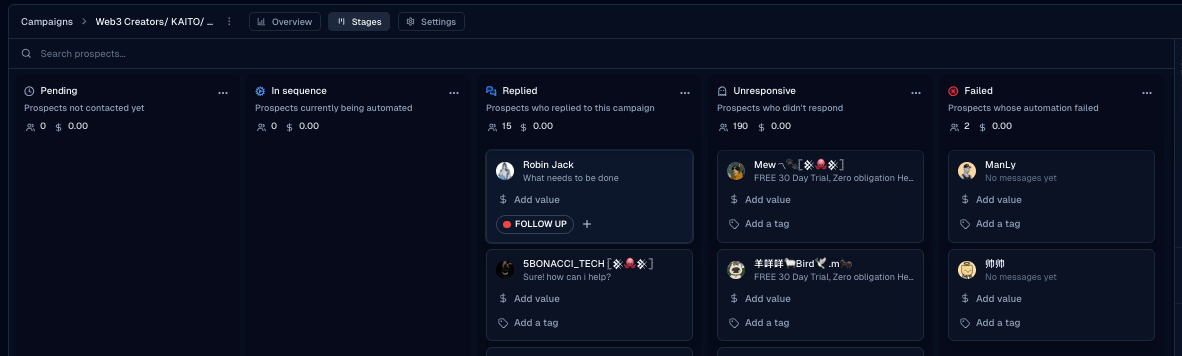 ## Stage meanings
| Stage | Meaning |
| ---------------- | ---------------------------------------- |
| **Pending** | Not yet in the active send flow |
| **In-Sequence** | Receiving or waiting on sequence steps |
| **Replied** | Lead replied — sequence stopped for them |
| **Unresponsive** | Finished sequence without a reply |
| **Failed** | Send failed for that lead |
## Related
* [What happens when a lead replies](/help/campaigns/run-and-measure/what-happens-when-a-lead-replies-to-my-campaign)
* [Campaign analytics](/help/campaigns/run-and-measure/campaign-analytics-completion-and-reply-rates)
* [Create your first campaign](/help/campaigns/build/create-your-first-campaign)
Still stuck? Contact support from the app.
## Stage meanings
| Stage | Meaning |
| ---------------- | ---------------------------------------- |
| **Pending** | Not yet in the active send flow |
| **In-Sequence** | Receiving or waiting on sequence steps |
| **Replied** | Lead replied — sequence stopped for them |
| **Unresponsive** | Finished sequence without a reply |
| **Failed** | Send failed for that lead |
## Related
* [What happens when a lead replies](/help/campaigns/run-and-measure/what-happens-when-a-lead-replies-to-my-campaign)
* [Campaign analytics](/help/campaigns/run-and-measure/campaign-analytics-completion-and-reply-rates)
* [Create your first campaign](/help/campaigns/build/create-your-first-campaign)
Still stuck? Contact support from the app.